Insider
  • SEC Form 4
  • Polymarket
Sign InSign Up
Insider

Track insider transactions and follow the smart money in real-time.

Products

  • Insider Trading
  • Analytics
  • Congress Trading
  • Cluster Buys
  • Options Flow

Markets

  • Polymarket
  • Sectors
  • Leaderboards
  • Institutions

Learn

  • Glossary
  • Blog
  • Directory
  • Methodology

Company

  • FAQ
  • Contact
  • Terms
  • Privacy
  • Cookies

© 2026 Insider Intelligence. All rights reserved.

  1. Home
  2. Blog
  3. What is SEC EDGAR? A Beginner's Guide to Finding Insider Trading Data

What is SEC EDGAR? A Beginner's Guide to Finding Insider Trading Data

Feb 3, 2026

Learn how to use SEC EDGAR to find insider trading filings, Form 4s, and ownership data. Step-by-step guide to navigating the free SEC database.

Cover Image for What is SEC EDGAR? A Beginner's Guide to Finding Insider Trading Data

Ready to Track Insider Trading?

Join thousands of investors using InsiderTradeFlow to follow executive trades in real-time.
Start Free Trial

Track Insider Trades Live

Join 10,000+ traders using our live data engine to track executive moves.

Start Free Trial

New to Insider Trading?

Explore our comprehensive glossary of insider trading terms and concepts.

Browse Glossary

Key Takeaways

  • SEC EDGAR is the free, official database containing all public company filings including insider trading reports
  • Form 4 filings appear on EDGAR within 2 business days of an insider transaction - this is your primary source for insider activity
  • Full-text search allows keyword queries across millions of documents, but requires patience and skill to use effectively
  • EDGAR is comprehensive but not user-friendly - the raw data requires significant filtering and analysis to extract actionable insights
  • RSS feeds and alerts can automate monitoring but are limited compared to dedicated insider tracking tools

The Securities and Exchange Commission's EDGAR database is where every insider trade, quarterly report, and corporate filing lives. If you want to track insider buying and selling, understanding EDGAR is foundational. But while EDGAR is free and comprehensive, it wasn't designed with retail investors in mind.

This guide explains what EDGAR is, how to navigate it effectively, and how to find the insider trading data that matters for your investment research.

What is SEC EDGAR?

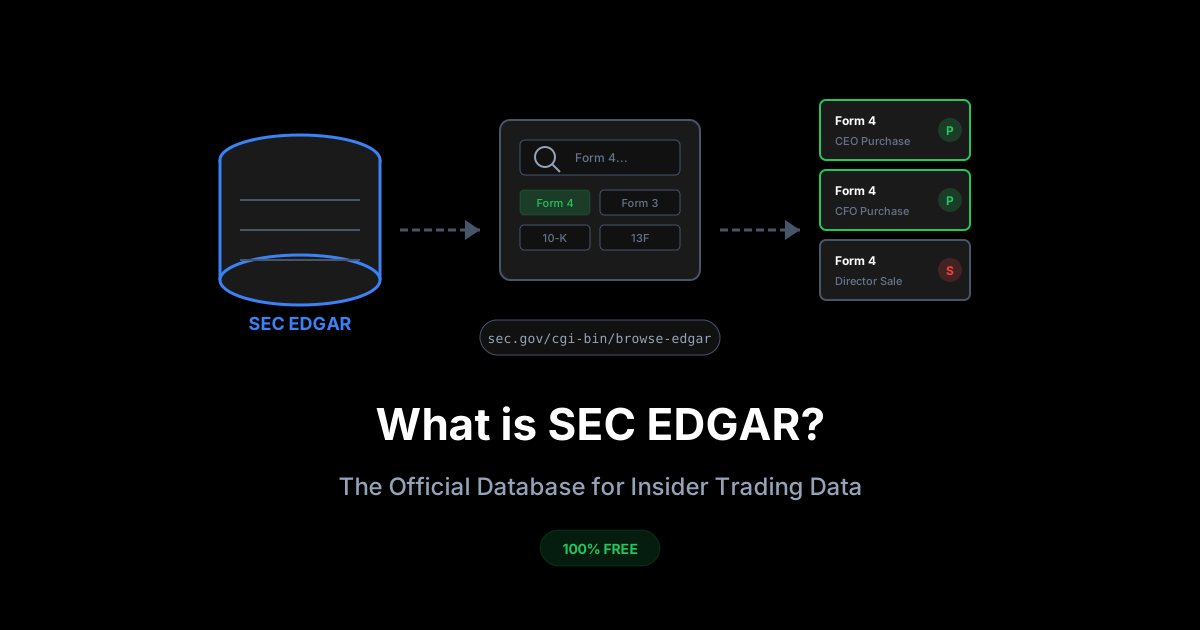
EDGAR stands for Electronic Data Gathering, Analysis, and Retrieval. It's the SEC's online database containing all filings that public companies and their insiders are required to submit.

The Numbers

EDGAR contains:

  • 21+ million filings dating back to 1996
  • 500-1,000 new Form 4s (insider transaction reports) daily
  • Filings from 10,000+ public companies
  • Data on 100,000+ corporate insiders

Every Form 4 (insider transaction), Form 3 (initial ownership), Form 5 (annual ownership), 10-K (annual report), 10-Q (quarterly report), and dozens of other filing types are stored here.

Why EDGAR Matters for Investors

EDGAR is the primary source for insider trading data. When a CEO buys stock in their company, they must file a Form 4 within 2 business days. That filing goes directly to EDGAR.

Before any news article, any data aggregator, any trading platform shows you insider activity - it appears on EDGAR first.

Advantages of using EDGAR directly:

  • Completely free access
  • Most current data available
  • Official source (no data errors from intermediaries)
  • Complete historical record
  • Access to footnotes and context often missing from aggregators

Disadvantages:

  • Clunky, dated interface
  • No filtering or analysis tools
  • Difficult to aggregate across companies
  • Raw data requires manual processing
  • No alerts for specific patterns (like cluster buying)

Navigating EDGAR: A Step-by-Step Guide

Finding a Company's Filings

Method 1: Company Search

  1. Go to sec.gov/cgi-bin/browse-edgar
  2. Enter the company name or ticker in the search box
  3. Select "Company" as the search type
  4. Click "Search"
  5. Select the correct company from results
  6. View all filings chronologically

Method 2: Full-Text Search

  1. Go to efts.sec.gov
  2. Enter search terms (company name, insider name, keywords)
  3. Filter by form type, date range, and other criteria
  4. Review results

The full-text search is more powerful but can return overwhelming results. Start with the company search for straightforward research.

Finding Form 4 Filings (Insider Transactions)

To see all insider transactions for a specific company:

  1. Navigate to the company's EDGAR page (via company search)
  2. In the "Filing Type" filter box, enter "4"
  3. Click "Search" or apply filter
  4. Results show all Form 4 filings chronologically

Each Form 4 filing shows:

  • Reporting person (the insider)
  • Filing date (when submitted to SEC)
  • Transaction date (when trade occurred)
  • Document links (HTML, XML, and text versions)

Reading a Form 4 on EDGAR

When you click on a Form 4 filing, you'll see several document options:

  • Primary document: The official filing in HTML or text format
  • XML: Machine-readable version
  • Filing detail page: Metadata about the submission

The Form 4 itself contains:

Table I - Non-Derivative Securities

  • Direct stock ownership
  • Transaction codes (P = Purchase, S = Sale, A = Award, etc.)
  • Shares and prices
  • Ownership after transaction

Table II - Derivative Securities

  • Options, warrants, convertible securities
  • Exercise prices and expiration dates
  • Underlying shares

Footnotes

  • Critical context (10b5-1 plans, grant details, etc.)
  • Often where the most important information lives

Finding Insider Filings by Person

To track a specific executive across companies:

  1. Use EDGAR full-text search
  2. Enter the insider's name in quotes
  3. Filter by form type "4"
  4. Review results for all their filings

This is useful for tracking executives who serve on multiple boards or for following proven stock-pickers among corporate leadership.

Setting Up EDGAR Alerts

EDGAR offers RSS feeds that can help automate monitoring.

Company RSS Feeds

Each company's EDGAR page has an RSS feed link. Subscribe to receive notifications when new filings are submitted.

Steps:

  1. Navigate to company's EDGAR page
  2. Look for "RSS" or "Atom" feed links
  3. Add to your RSS reader (Feedly, Inoreader, etc.)

Limitations of EDGAR Alerts

  • No filtering by form type in RSS
  • You'll receive all filings, not just Form 4s
  • No pattern detection (clusters, significant purchases)
  • Manual review still required

For serious insider tracking, EDGAR's native alerts are insufficient. You'll receive dozens of irrelevant filings for every Form 4 of interest.

EDGAR Data Quality and Timing

Filing Deadlines

Form 4: Due within 2 business days of transaction. This is the most time-sensitive insider filing.

Form 3: Due within 10 days of becoming an insider. Initial ownership statement.

Form 5: Due within 45 days of fiscal year end. Annual summary of transactions not previously reported.

Common Data Issues

Amendments: Insiders sometimes file amendments (Form 4/A) to correct errors. Always check for amendments to recent filings.

Late Filings: Some insiders file late. The SEC publishes lists of late filers, but this creates data gaps.

Complex Transactions: Stock splits, mergers, and corporate actions can create confusing entries. Read footnotes carefully.

Name Variations: The same insider may appear under different name formats (Robert Smith vs. Robert J. Smith vs. Bob Smith).

Advanced EDGAR Techniques

Using the SEC API

EDGAR offers a REST API for programmatic access:

Base URL: https://data.sec.gov/

Endpoints:
- /submissions/CIK{cik}.json - Company filings
- /cik-lookup?company={name} - Find CIK numbers

This is useful for building automated monitoring systems, though it requires programming knowledge.

Bulk Data Downloads

For researchers and developers, the SEC provides bulk downloads:

  • Complete filing indexes
  • Full-text filing archives
  • Structured data sets (XBRL)

These are available at sec.gov/data.

CIK Numbers

Every company and individual on EDGAR has a unique CIK (Central Index Key). Learning to work with CIKs makes navigation faster:

  • Company CIKs are usually 10 digits (padded with leading zeros)
  • Individual CIKs identify reporting persons
  • Direct URL access: sec.gov/cgi-bin/browse-edgar?action=getcompany&CIK={number}

EDGAR Limitations for Insider Trading Research

While EDGAR is the authoritative source, it has significant limitations for practical investment research.

No Aggregation

EDGAR shows individual filings, not aggregated views. To see "all insider buying this week across the market," you'd need to manually check thousands of filings.

No Filtering

You cannot filter for:

  • Only purchases over $100,000
  • Only CEO transactions
  • Only open market trades (excluding grants)
  • Cluster patterns (multiple insiders buying)

No Historical Analysis

EDGAR doesn't calculate:

  • Insider's historical return after buying
  • Historical patterns for specific companies
  • Track records of individual insiders

No Alerts for Patterns

EDGAR can't notify you when:

  • Three insiders at the same company buy within 30 days
  • A first-time buyer makes a large purchase
  • Unusual activity spikes at a company

Time-Intensive

Extracting meaningful insights from raw EDGAR data requires:

  • Reading individual filings
  • Manually tracking across time periods
  • Cross-referencing multiple sources
  • Significant time investment

For occasional research, EDGAR works. For systematic insider tracking, it's impractical without additional tools.

Alternatives and Complements to EDGAR

Financial Data Platforms

Services like Bloomberg, FactSet, and Refinitiv pull EDGAR data and add analysis tools. These are expensive but powerful for institutional investors.

Insider-Specific Tools

Dedicated platforms aggregate Form 4 data and add features like:

  • Filtering by transaction type, amount, insider role
  • Cluster detection
  • Historical performance tracking
  • Conviction scoring
  • Real-time alerts

These save significant time compared to raw EDGAR research.

SEC Website Tools

The SEC itself offers some enhanced tools:

  • EDGAR Online Forms: Reformatted, easier-to-read versions
  • Company Filings Search: Improved search interface
  • Next-Gen EDGAR (in development): Modernized access

Using EDGAR Effectively: Best Practices

For Individual Stock Research

  1. Start with the company search to find the EDGAR page
  2. Filter for Form 4 filings
  3. Review the last 90 days of insider activity
  4. Read footnotes for context (10b5-1 plans, grants vs. purchases)
  5. Note patterns: multiple buyers, large amounts, executive roles

For Market-Wide Screening

This is where EDGAR becomes impractical. To screen across the market:

  1. Use bulk data feeds (requires technical skills)
  2. Build or use automated systems
  3. Consider dedicated insider tracking tools

For Due Diligence

When researching a specific investment:

  1. Pull all Form 4s for the past 2 years
  2. Map the buying and selling patterns
  3. Identify the largest transactions
  4. Note who is buying (C-suite vs. directors)
  5. Cross-reference with stock price and news

Frequently Asked Questions

Is EDGAR really free to use?

Yes, completely free. EDGAR is a public service funded by SEC filing fees paid by public companies. There are no subscription costs, paywalls, or premium tiers.

How quickly do Form 4s appear on EDGAR?

Within minutes of filing, but filing is due within 2 business days of the transaction. So the practical delay is 2 business days from when the insider actually bought or sold stock.

Can I download EDGAR data for my own analysis?

Yes. The SEC explicitly allows bulk downloads and API access. Many financial applications and research tools are built on EDGAR data.

Why do some filings show different dates?

Transaction date vs. filing date. The transaction date is when the trade occurred. The filing date is when the Form 4 was submitted to the SEC. These can differ by up to 2 business days (or more for late filers).

How do I know if an insider purchased stock vs. received a grant?

Check the transaction code. Code P = purchase (used personal funds). Code A = award/grant (compensation). Code M = option exercise. The transaction code is the key field for filtering meaningful purchases.

What's the difference between direct and indirect ownership?

Direct ownership is stock held in the insider's own name. Indirect ownership is held through trusts, family members, or other entities the insider controls. Both are reported on Form 4.

Can I track when insiders buy stock in multiple companies?

Yes, but it's cumbersome on EDGAR. You'd need to search by the insider's name across all filings. Dedicated tools make cross-company tracking much easier.

Are there penalties for late Form 4 filings?

Yes. The SEC can take enforcement action, and late filers must disclose their delinquency in proxy statements. However, enforcement is inconsistent, and late filings do occur.


EDGAR contains the raw insider trading data, but extracting insights requires significant effort. InsiderTradeFlow aggregates all Form 4 filings, filters for meaningful purchases, detects cluster patterns, and scores transactions by conviction level - turning raw SEC data into actionable investment signals. Start your free trial today.